 Eta
Eta
Getting Started
Eta Language — VS Code Extension
Language support for the Eta programming language — a Scheme-inspired language with logic programming, automatic differentiation, and optional PyTorch bindings.
Features
Syntax Highlighting
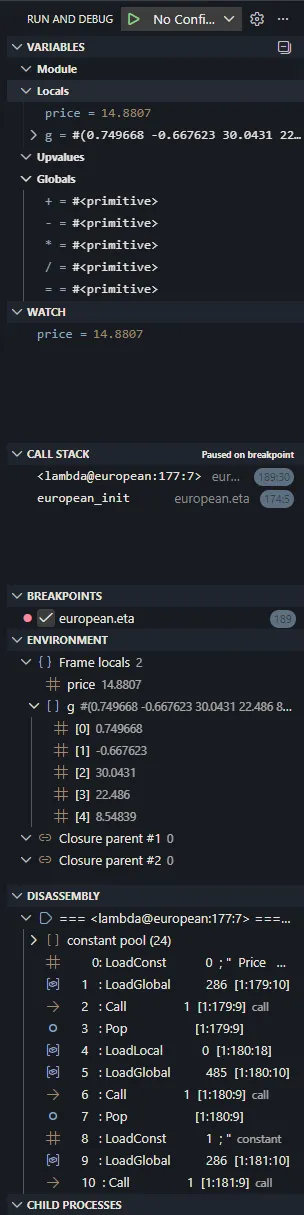
Rich TextMate grammar covering core special forms, binding constructs, control flow, module system, macros, records, exception handling, logic/unification, AD/tape operations, CLP constraints, I/O, and common builtins.
Language Server (LSP)
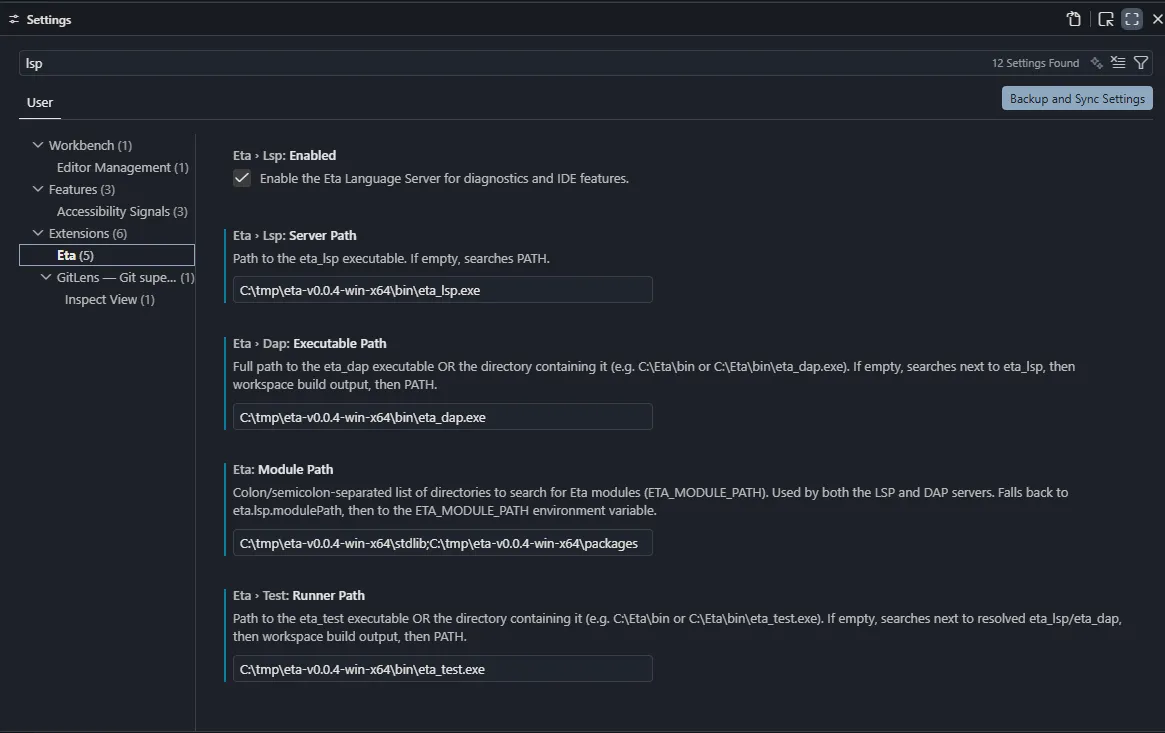
Powered by the native eta_lsp binary:
- Diagnostics — real-time error reporting across lex, parse, expand, link, and semantic analysis phases
- Hover — documentation for keywords, special forms, and document-local definitions
- Go to Definition — jump to the definition site of any symbol
- Completion — keywords, builtins, prelude symbols, module-path symbols, and document-local definitions
- Outline view —
define,defun,define-record-type,define-syntax, andmoduleforms shown in the breadcrumb / Outline panel - Find All References — find every occurrence of a symbol in the current file
- Rename — safely rename any local binding or module-scoped definition
- Signature Help — parameter hints when calling functions (
(,,triggers) - Formatting — document and range formatting via
eta_format_lib, shared with theeta_fmtCLI - Lint diagnostics —
eta_lintfindings published alongside compiler diagnostics
Formatting and linting
eta_lsp links the formatter and linter libraries directly; it never shells out
to eta_fmt or eta_lint, and there is no silent fallback to a standalone
executable. The editor’s integrated commands are the primary user path:
- Eta: Format Document formats the active Eta file through the standard VS Code document-formatting pipeline, while the language server remains the single formatter implementation.
- Eta: Lint File re-runs the same validation/lint pipeline used for live diagnostics and republishes findings for the active file.
- Eta: Lint Workspace discovers Eta files under the open workspace roots, runs the server-owned lint pipeline across them, clears stale results, and reports a summary back to the editor.
- Convenience keybindings are included for Eta files:
Ctrl+Alt+Shift+F— Format DocumentCtrl+Alt+Shift+L— Lint FileCtrl+Alt+Shift+W— Lint Workspace
editor.formatOnSaveand Format Selection still route through the same LSP formatter as the explicit command palette actions.- Lint findings carry the document version and clear automatically on edits.
Task/problem-matcher flows remain explicit CLI tooling workflows; they are not used as a fallback for editor linting or formatting requests.
Debugger (DAP)
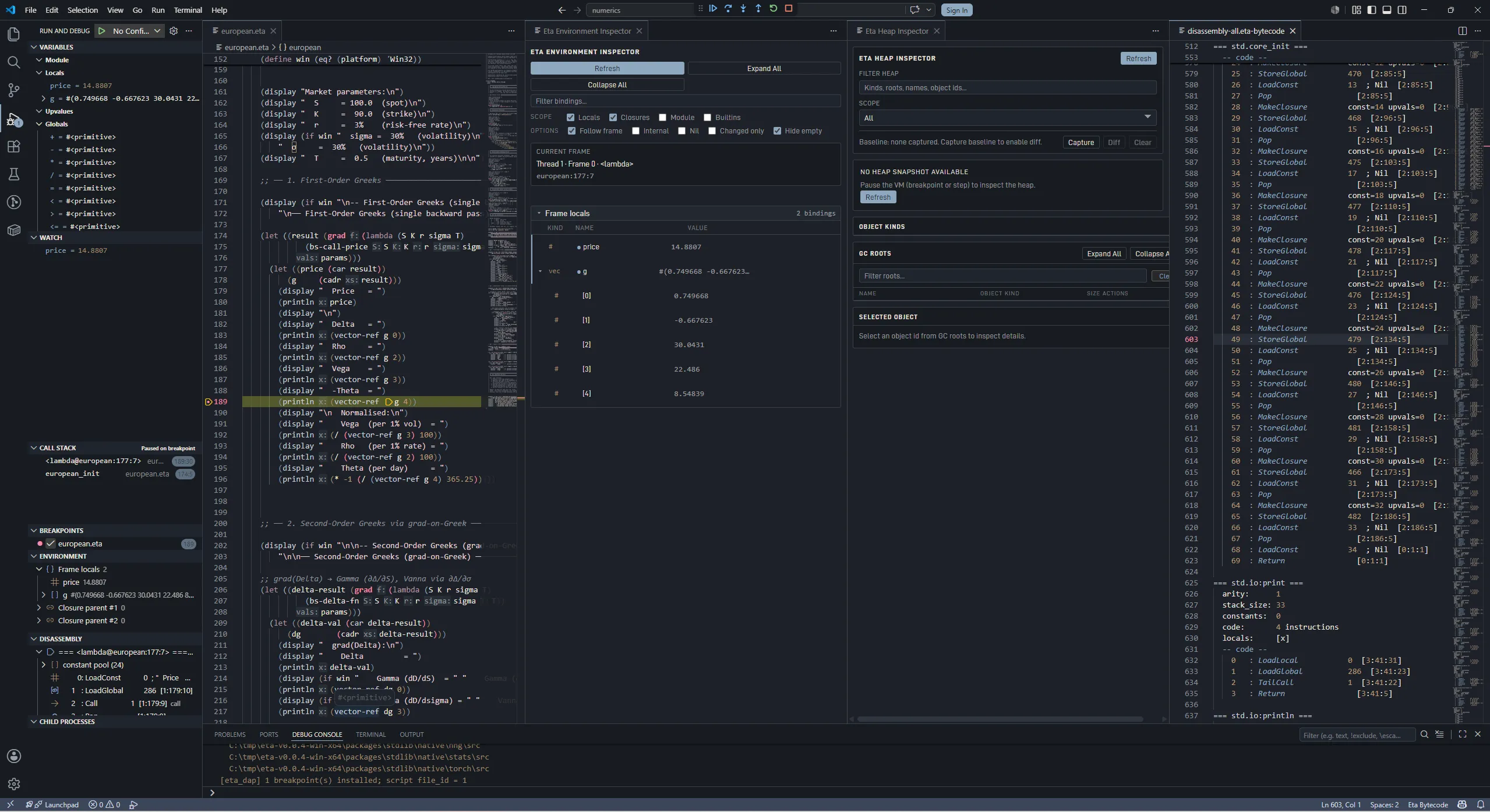
Full debug adapter via eta_dap:
- Breakpoints — set breakpoints in
.etasource files - Stepping — Step Over (F10), Step In (F11), Step Out (Shift+F11), Continue (F5)
- Run File — press the play button or use the Eta: Run Eta File command
- Program Output — script
display/newlineoutput routed to a dedicated Eta Output panel
Heap Inspector
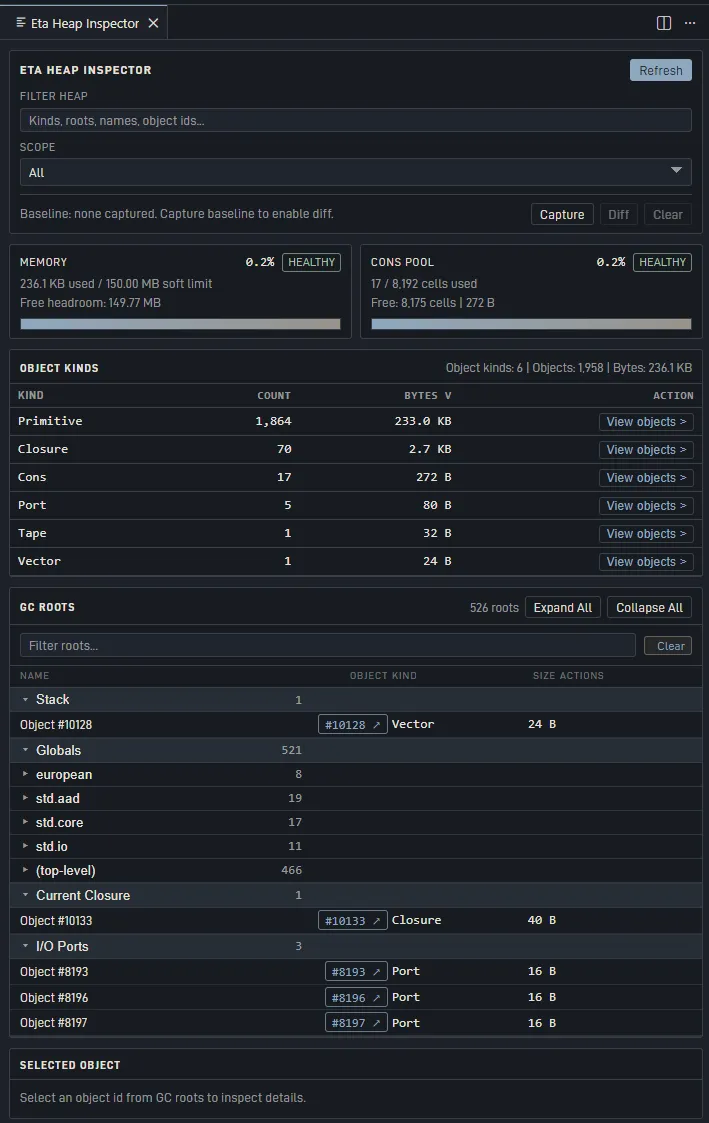
WebView panel showing live heap state when the VM is paused:
- Memory gauge (usage vs. soft limit)
- Per-object-kind statistics (count and bytes)
- Cons pool utilisation
- GC root categories with expandable object tree
- Click-to-inspect any heap object (kind, size, preview, children)
GC Roots Tree View
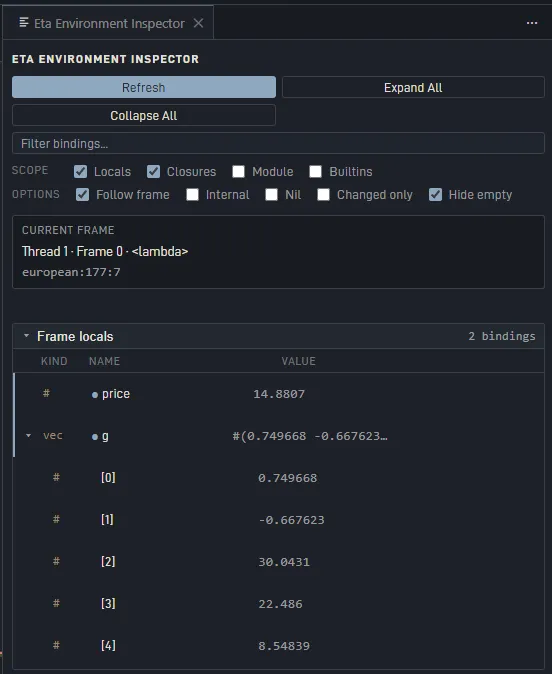
Dedicated tree view in the Debug sidebar showing GC root categories. Expand any root to see individual objects; click to open in the Heap Inspector.
Disassembly View
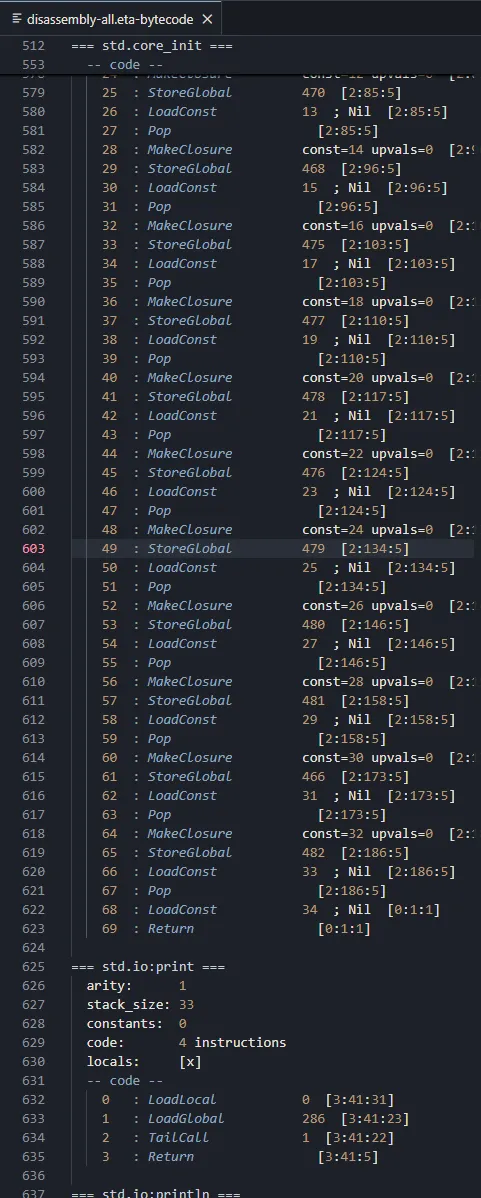
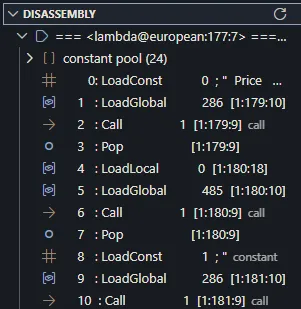
View the bytecode disassembly of the current function or all functions. The current PC line is highlighted.
Code Snippets
~20 snippets for common forms: module, defun, define, lambda, let, let*, letrec, if, cond, case, when, unless, define-record-type, import, catch, raise, define-syntax, do.
Requirements
- Eta binaries:
eta_lspandeta_dapmust be installed and accessible (onPATH, or configured via settings) - VS Code ≥ 1.85.0
Install Eta from a release bundle — the installer automatically configures PATH and installs this extension.
Extension Settings
| Setting | Type | Default | Description |
|---|---|---|---|
eta.modulePath | string | "" | Colon/semicolon-separated directories to search for Eta modules (ETA_MODULE_PATH). Used by both LSP and DAP servers. Falls back to the environment variable. |
eta.lsp.serverPath | string | "" | Path to the eta_lsp executable. If empty, searches bundled binary, workspace build output, then PATH. |
eta.lsp.enabled | boolean | true | Enable the Eta Language Server for diagnostics and IDE features. |
eta.lint.enabled | boolean | true | Publish eta_lint findings through the language server (linked directly, no subprocess). |
eta.format.maxWidth | integer | 100 | Target line width for document and range formatting. |
eta.format.indent | integer | 2 | Spaces per indentation level; the editor tabSize takes precedence per request. |
eta.lsp.modulePath | string | "" | Deprecated — use eta.modulePath instead. |
eta.dap.executablePath | string | "" | Path to the eta_dap executable or its parent directory. |
eta.test.runnerPath | string | "" | Path to eta_test or its parent directory. If empty, the extension searches next to resolved LSP/DAP binaries, workspace build output, then PATH. |
eta.binaries.searchPaths | string[] | [] | Additional directories or explicit executable paths searched for Eta binaries. Supports ${workspaceFolder}. |
eta.debug.autoShowHeap | boolean | true | Automatically open the Heap Inspector when a debug session starts. |
Quick Start
- Install Eta from a release bundle (or build from source).
- Open a
.etafile in VS Code — syntax highlighting and diagnostics activate automatically. - Press F5 to run/debug the current file.
- Set breakpoints by clicking the gutter, then use stepping controls.
- Open the Heap Inspector via the Command Palette: Eta: Show Heap Inspector.
Commands
| Command | Description |
|---|---|
Eta: Run Eta File | Launch the active .eta file in the debugger |
Eta: Format Document | Format the active .eta file |
Eta: Lint File | Run the Eta linter on the active .eta file |
Eta: Lint Workspace | Lint all Eta files in the open workspace |
Eta: Show Heap Inspector | Open the Heap Inspector panel |
Eta: Show Disassembly | Show bytecode for the current function |
Eta: Show Disassembly (All Functions) | Show bytecode for all functions |
Eta: Refresh GC Roots | Manually refresh the GC Roots tree |
Known Limitations
- Semantic tokens — highlighting is grammar-based; no context-aware token colouring yet (planned for a future release)
- Cross-file references / rename — references and rename currently operate on the current file only
Building from Source
cd editors/vscode
npm ci
npm run bundle         # esbuild production bundle
npm run package        # creates .vsix
Or via CMake:
cmake --build build --target eta_editor_package
License
MIT